Training
Turn a standard operating procedure into a training video
Nobody reads a twelve-page SOP twice. A short video that shows each step, in order, as it is explained gets watched — and the procedure stays exactly the one that was approved.
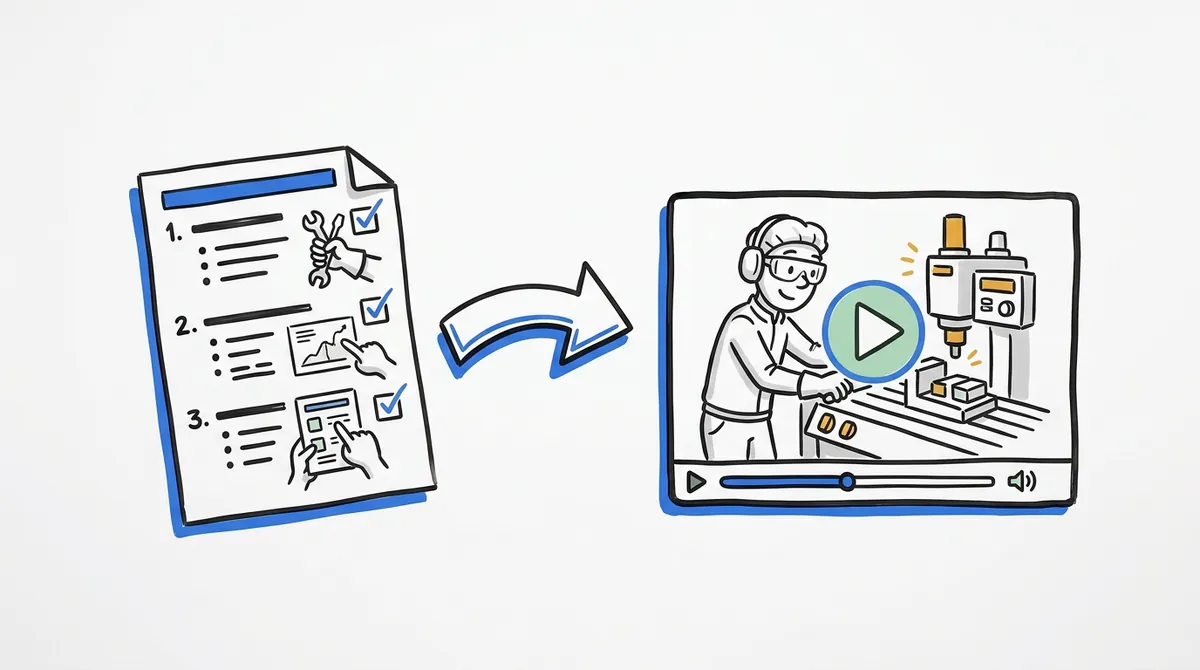
How it works
- 1
Import the SOP
PDF, Word or PowerPoint. Or paste the approved steps and use exact script mode so not a word changes.
- 2
One step per scene
Each step is drawn while it is narrated: the tool, the action, the check.
- 3
Share it with the team
Keep it private, share one link with your team, and see who watched it to the end.
What you get
- Exact script mode keeps approved wording word for word
- Each step is drawn as it is explained
- Private sharing, with who watched and how far
- Update one step without remaking the whole video
Document import and exact script mode are on every plan. Editing one scene and reassembling the video for free starts with Creator.
Training a whole team
Studio and Business let you invite colleagues to make videos with your credits, each with an optional monthly limit.
What it costs
- Choose a one-time credit pack or a subscription to create.
- Paid plans from $9 a month, and one credit is one finished minute of video.
- Reading a document or a link is free on every plan.
Who it is for
Operations, quality, manufacturing, health and safety teams, and anyone onboarding staff onto a procedure.
Questions
- Will the AI change my procedure?
- Not in exact script mode: the narration is your approved text, verbatim, and only the drawings are planned.
- Can I put it in our LMS?
- Download the MP4 and upload it to your learning platform, or embed the video with its link. There is no direct LMS or SCORM integration.
- How do I know who watched it?
- Share it as a private series: you see each viewer by name, how far they got and whether they finished.
- What happens when the procedure changes?
- Edit the scene that changed and reassemble the video. The scenes that did not change are reused.
- What does it cost?
- Importing is free. Creating a finished video needs a one-time credit pack or a subscription; one credit is one finished minute.
Other ways to make a video
- Recording to whiteboard videoUpload a voiceover, lecture or podcast and TimaLens draws a whiteboard video around it. Your voice is kept, an…
- PDF and slides to videoImport a PDF, PowerPoint or text document and TimaLens turns it into a narrated whiteboard explainer video, sc…
- Slides to videoImport a PowerPoint or Google Slides deck and get a narrated whiteboard video: one idea per scene, drawn as it…
- Exact script to videoPaste a finished script and TimaLens narrates it exactly as written, drawing each scene on the words it belong…
- One video, many languagesPublish one whiteboard video in French, English, Arabic, Wolof and more. TimaLens translates the narration and…
- Word document to videoImport a Word document and TimaLens turns its headings, paragraphs and tables into a narrated whiteboard expla…
- YouTube video to whiteboard lessonPaste a public YouTube link and TimaLens watches it, keeps its ideas in teaching order and explains them again…
- Web page or article to videoPaste the link of a public article, documentation page or course page and TimaLens turns its ideas into a narr…
- Employee onboarding videoTurn your onboarding handbook into short whiteboard videos new hires actually watch: who's who, how things wor…
- Policy and compliance training videoTurn a policy or a code of conduct into a clear whiteboard training video that keeps the approved wording exac…
- Textbook chapter to lesson videoImport a chapter or your lesson notes and TimaLens turns them into a narrated whiteboard lesson your students …
- Research paper to videoImport a research paper and TimaLens explains its question, method and findings in a short narrated whiteboard…
- Product explainer videoTurn your product docs, a feature page or a script into a whiteboard explainer video for your website, onboard…